
各位應屆畢業生好!
今年度「就業輔導暨校友服務中心」離校手續採線上填報問卷及回傳!操作步驟如下:
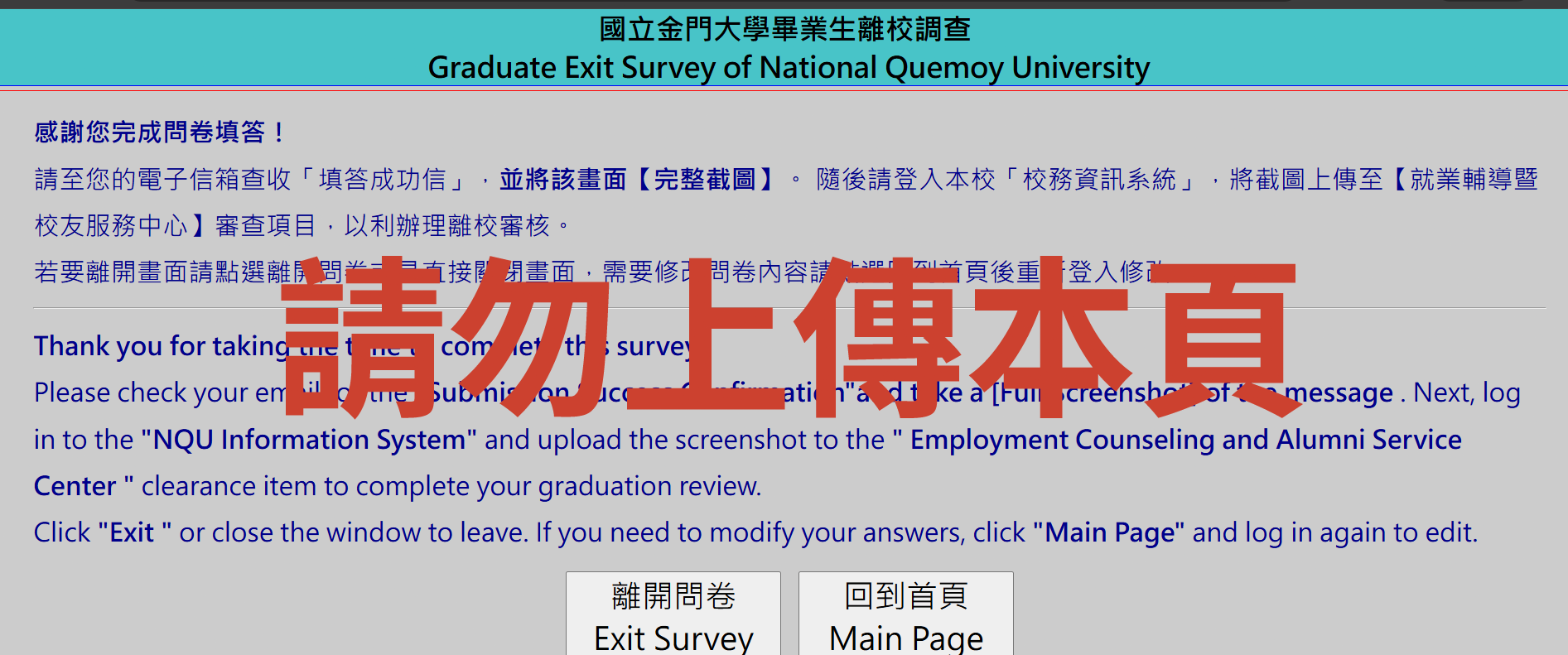
1️⃣ 填問卷 請登入「🔗畢業生離校/流向問卷系統」(帳密同校務系統),填完記得按 [提交]。
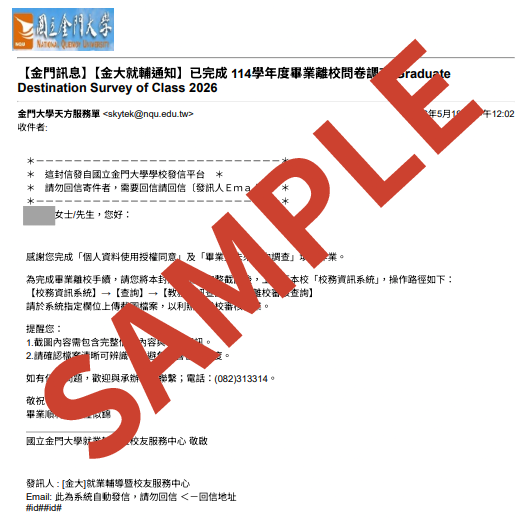
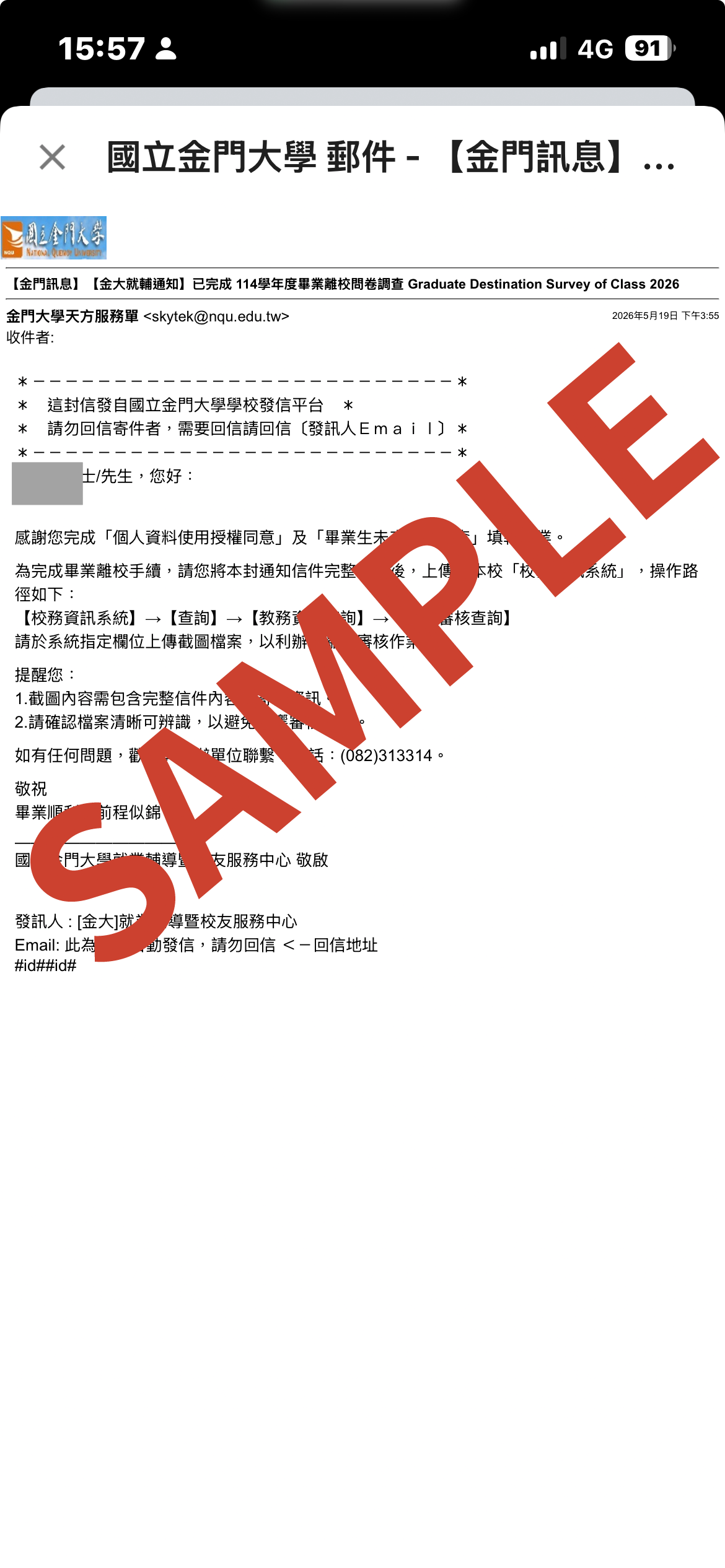
2️⃣ 存截圖 到個人信箱收「填答成功信」,並將畫面 [完整截圖](範本如下圖)。
3️⃣ 傳系統 登入「🔗校務資訊系統」 ➔ 查詢 ➔ 教務資訊查詢 ➔ 離校審核查詢,[上傳截圖] 即可!
💡 小提醒:
🥸校務資訊系統上傳截圖的檔型有jpg及pdf,在轉檔時建議不使用「修改副檔名」方式,避免審核作業時無法開啟檔案,造成不便敬請見諒。
請務必確認按下「提交」並確實存取信件截圖,以免影響您的審核進度。
問卷填報問題: 請洽就輔暨校友中心 (082)313-314 或來信 easc@nqu.edu.tw。
其他離校手續: 請參考教務處註冊組之最新公告。
⏳🎶 用片刻致謝永久,將青春定格在這一頁 🎞️🫧 說一聲珍重,道一聲祝福 💌
祝各位畢業生 畢業快樂,前程似錦! 🎓❤️
Attention graduates! Please follow these steps to complete your clearance for the Career Center:
1️⃣ Survey: Log in to the "🔗NQU Graduate Exit and Career Destination Survey" (Same as your portal login) and click [Submit].
2️⃣ Screenshot: Receive the "Success Email" in your inbox and take a [Full Screenshot].
3️⃣ Upload: Go to "🔗NQU Information System" ➔ Inquiry ➔ Academic Information Inquiry ➔ Graduation Clearance Status Inquiry, and [Upload Screenshot]. Done!
⚠️ Notes:
🥸The University Information System accepts JPG and PDF files only. When converting your screenshot, please do not simply rename the file extension (for example, changing ".png" to ".jpg"), as this may result in the file being unreadable during the review process.
Missing the screenshot will delay your graduation process.
Questions? Call (082)313-314 or email easc@nqu.edu.tw.
Check the Registrar Division's website for other graduation requirements.
Happy Graduation! 🚀